Sunday, July 22, 2012

Entity Framework - Now open source

Entity Framework source code is being released under an open source license and it is available in CodePlex  More information is here.


Happy Coding!!!

Wednesday, May 2, 2012

Profile WCF Service using WCFTestClient.exe

There are various ways , in which you can profile your WCF Service application. Traditionally you might use a web application which will invoke the WCF API's to profile it. Today , we can learn to use WCFTestClient.exe, through which we can invoke WCF Service and profile it.

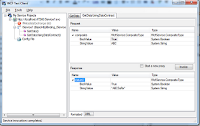
WCFTestClient is a nice tool using which you can invoke , your WCF service with out developing a client application to test it.  WCFTestClient  can be found under \Program Files\Microsoft Visual Studio 10.0\Common7\IDE (if you are using VS2010 ultimate/premium) and for VS2008 it can be found under \Program Files\Microsoft Visual Studio 9.0\Common7\IDE. You can also open up WCFTestClient by using VisualStudio Command Prompt. Here is a  snapshot of WCFTestClient.


For this blog,  I have used the sample API's that comes along with a new WCF Service Application project template.


Page1
In Visual Stdio 2010 (premium/ultimate edition), start a new performance session , by clicking analyze-> launch performance wizard. For this blog I have chosen to profile under instrumentation method. Click next and choose the WCF service which you want to profile and click next. In page 3 of performance wizard , it will ask you to choose which client you want the profiler to use to execute your service. Choose external program and select the path where WCFTestclient.exe is ( \Program Files\Microsoft Visual Studio 10.0\Common7\IDE) and click next and click finish to start profiling.

Page2


Page3


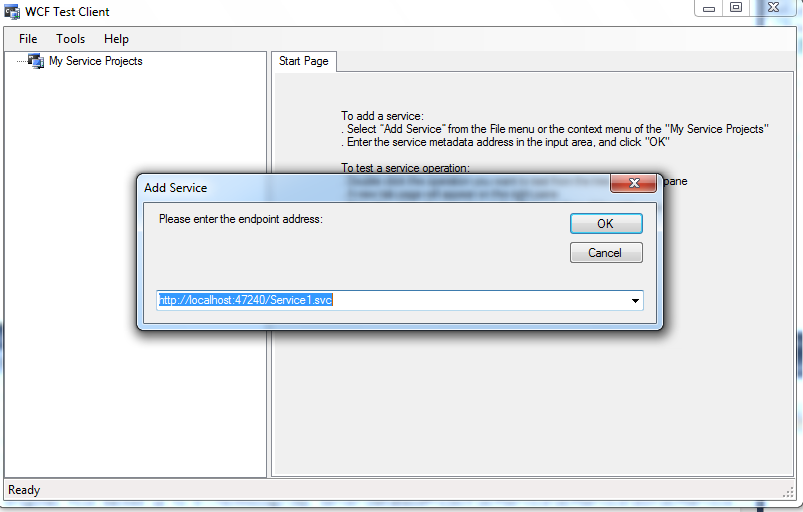
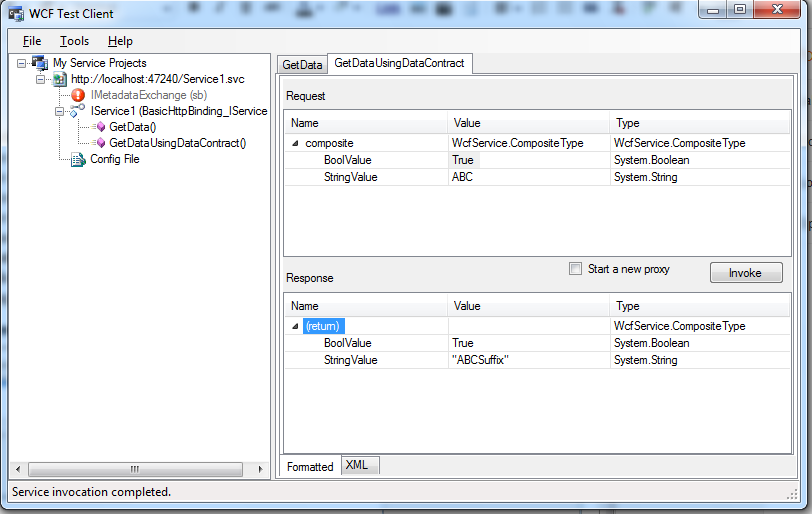
The performance session will bring up the WCFTestClient. Right click on My Service Projects and add the endpoint address of your WCFService. The service will be added , invoke the API's. The profiler will be collecting the data, upon invoking the  API's . Once you are done stop the WCFTestClient and a profiler report (*.vsp file) will be added into the performance explorer. Analyse the profiler report to optimize your WCF Service.



Happy Coding!

Sunday, April 29, 2012

VisualStudioGallery

Hello , after some time , started sharing information's with you. Came across VisualStudioGallery where you can find and use tools controls and extensions with Visual Studio. Lots of interesting things you can play around with can be found there.

Happy Coding.


Monday, November 14, 2011

10 Fresh HTML5 Tutorials

GOOD HTML5 tutorials for developers , who want to learn HTML5, and implement them are found here .

This also has objective comparison of HTML5 and Silverlight5 too.

Tuesday, November 1, 2011

Coffee Script


CoffeeScript - Write programs in coffescript and upon compiling it translates into JavaScript. All of those embarrassing braces and semicolons will not be needed, but only the simple parts JavaScript to write coffee scripts. 


The compiled output, can be used with the existing JavaScript Library.


For more information check this

Thursday, June 16, 2011

HTML5 in Visual Studio 2010 SP1


HTML 5 introduces number of new elements and attributes which can be used on 
modern websites.HTML 5 has new features like 

  • <video> tag
  • <audio> tag
  • New input types (email, url, date )
  • Drag and drop support
  • Cross document management
  • Browser history management
  • Microdata
  • Timed media playback
  • Geolocation 
  • Accessibility standard WAI-ARIA etc.

This makes life easy to handle multimedia and graphical content with ease. To view the sample of this, Visit HTML5 Demo Site.


HTML5 is rightnow emerging and needs to be standardized by W3C.Yet Microsoft has started supporting HTML5 by releasing the Web Standards Update for its Visual Studio 2010 SP1. It can be downloaded hereAfter installing it, and restarting VS 2010 you can set the HTML version you want to use , on file-by-file basis, or set it as a default.


Now you can start using the HTML5 features. Check out the following sites, you will get attracted towards HTML5


Wednesday, June 8, 2011

Azure Storage Explorer


A GUI tool to view and alter the data in Azure Storage is available now . This open source tool is very helpful, when working with the cloud storage's like blob, queues, tables. The data in the cloud storage can be viewed and edited easily. Check it out here

Thursday, May 26, 2011

Windows Azure Pricing Calculator

Microsoft now provides a pricing estimator for Windows Azure. Give it a try at http://www.microsoft.com/windowsazure/pricing-calculator/


You will land on a sort of disclaimer page , stating that Microsoft makes no guarantees regarding the accuracy of any information presented in the report. Clicking on agree button will take you to the pricing calculator page , which is very interactive with sliders. It is good to estimate cost of your application on Windows Azure. Is it not? 


Monday, May 16, 2011

Visual Studio Code Snippets for Design Patterns


While refreshing  design patterns, I was curious to know are there any code snippets available with Visual studio. I could not find any and finally found that a handful of design pattern snippets are available here (in codeplex). Download that and save it in  "C:\Users\YourUserName\Documents\Visual Studio 20xx\Code Snippets\Visual C#\My Code Snippets". 

Step 1
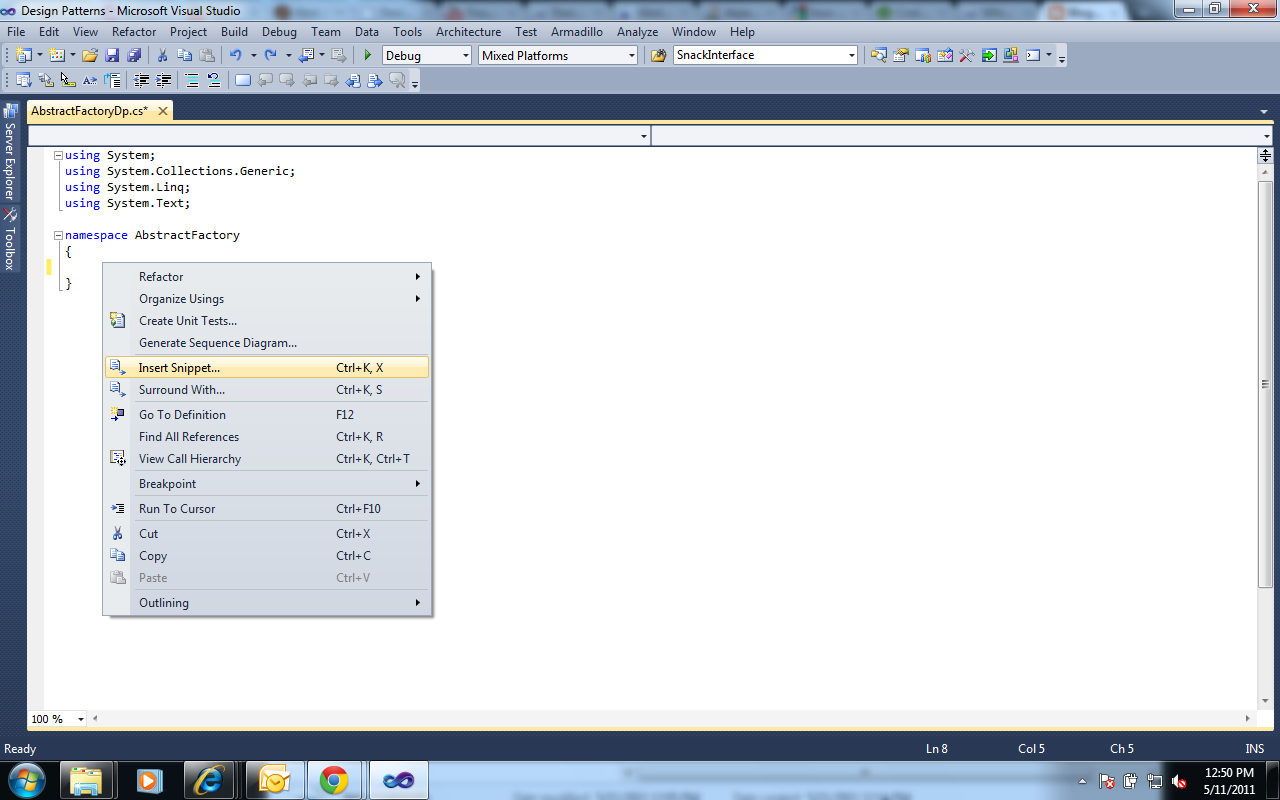
. To use that  open an empty file in visual studio 20xx and then right click -> insert snippet -> Choose "My Code Snippets" -> Choose the design pattern which you would like to use. Their shortcut name is "dpdesignpatternname". Happy Programming :)

Step 2
Step 3